
The Open-Source Smart Home Battle : OpenHAB vs. Home Assistant
OpenHAB
OpenHAB is a popular open-source smart home hub. It focuses on keeping your data private by working completely offline. It is built on Java, making it super stable. It uses a “Things, Channels, and Items” rule system to connect devices smoothly.

Why Choose OpenHAB?
OpenHAB acts as an “Intranet of Things”. It runs locally. Your smart devices work even without an internet connection.
Because it is open-source, OpenHAB integrates with hundreds of different brands like Philips Hue, Sonos, and Z-Wave. You can run it on a Raspberry Pi, Mac, Windows, or Docker.
Core Concepts
Understanding how OpenHAB works is easy if you compare it to building blocks:
- Things: These are your actual smart devices, like a smart lightbulb or thermostat.
- Channels: These are the features of your devices. For example, a lightbulb’s channel is its on/off toggle or its brightness slider.
- Items: These are the software representations inside OpenHAB. You connect a Channel to an Item.
- Rules: This is your automation logic. You can set rules like: “If my motion sensor detects movement after sunset, turn on the porch light.”
How to Get Started
Setting up OpenHAB takes a little bit of work up front, but it gives you total control.
- Get the software: Download OpenHAB for your device of choice from the openHAB homepage.
- Install bindings: Bindings are mini-programs that help OpenHAB talk to your specific devices. [1]
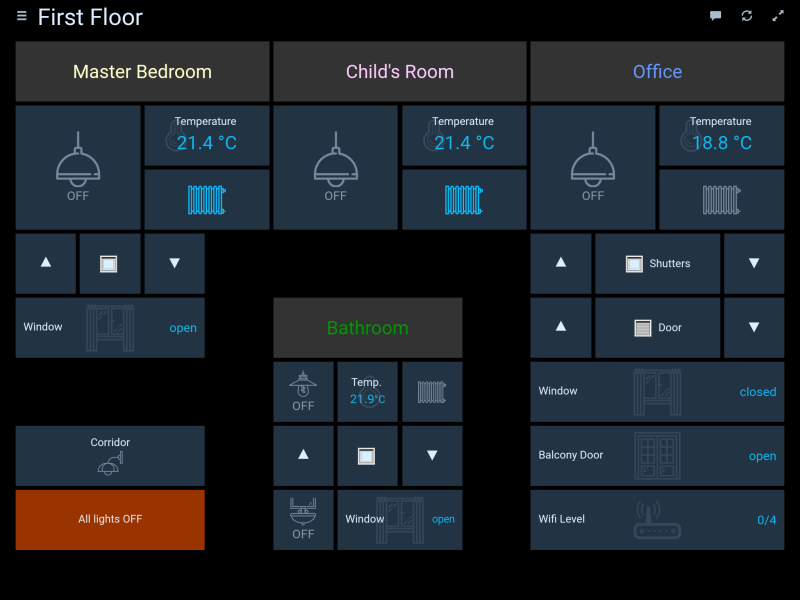
- Build your dashboard: Use the OpenHAB dashboard to view and control your home from your web browser or mobile app.
Useful Resources
To learn more about what you can build, check out the community and developer guides!
- Read user project stories and updates on the official openHAB Blog .
- Get help and share ideas on the active openHAB Community Forum .
Since its founding in 2010 by Kai Kreuzer, openHAB has been a pioneer in the global open-source smart home field, adhering to the Java technology stack and OSGi modular architecture as its core, and focusing on highly customized and fully localized device control. The following is the actual development trajectory of openHAB, which abandons the “historical era” division and is based entirely on a continuous timeline and version evolution :
⏳ Early architecture and industry-grade specification establishment (2010-2015)
- 2010 : German engineer Kai Kreuzer officially launched the openHAB project on GitHub. Its most distinctive design feature is the use of the enterprise-grade Java language and the construction of a classic data abstraction model of “Item (logical item) – Thing (physical entity)” at the underlying level.
- In 2013 , openHAB donated its core codebase to the globally renowned Eclipse Foundation , becoming its official project, Eclipse SmartHome (ESH) . This move endowed openHAB with extremely rigorous industry-grade standards and underlying stability.
- 2014-2015 : The project won the JavaOne Award for its highly decoupled modular design. With the explosion of various smart hardware, the community accelerated the development of hundreds of “bindings” plugins that interface with different brands (such as KNX, Philips Hue, Sonos). [1, 2]
⚙️ Foundation Establishment (2016-2019)
- May 2016 : openHAB 2.0 was released. This version fully integrates with the Eclipse SmartHome framework and introduces Paper UI for the management backend and Basic UI for terminal display for the first time, greatly simplifying the automatic device discovery process.
- At the end of 2016 : The official non-profit organization openHAB Foundation eV was officially established in Germany, responsible for maintaining the project brand, operating the myopenhab.org remote bridging cloud, and ensuring the compliance of open source code assets.
- 2018-2019 : The openHABian system image, specifically optimized for Raspberry Pi, was launched , greatly lowering the barrier to entry for non-technical personnel to configure a Java runtime environment. Simultaneously, the system began introducing a rule engine based on regular expression tables (DSLs). [1]
💻 Unified Main UI and Underlying Restructuring (2020-2024)
- December 2020 : openHAB 3.0 underwent a revolutionary change. To address the fragmented nature of multiple UIs, the official team completely abandoned Paper UI and introduced a unified management interface (Main UI) built on Vue.js. Simultaneously, the project re-merged its code from Eclipse SmartHome back into the core library and fully upgraded to Java 11 .
- July 2023 : openHAB 4.0 was released. The system runtime was fully upgraded to Java 17 , a more scientific “Semantic Model” tag system was introduced, and the underlying automation scripts based on JavaScript (JS-JSR223) were refactored.
- 2024 : The platform has significantly improved its adaptation to complex environments. The Main UI natively supports a more powerful text automation block editor and has excellent backward compatibility with traditional DSL scripts.
🚀 Fully Embrace Matter (Latest Developments in 2025-2026)
- July 2025 : The major upgrade, openHAB 5.0, was officially released . This version made significant technical changes: it completely abandoned support for 32-bit systems , fully transitioning to Java 21 and its Virtual Threads features. Furthermore, version 5.0 implemented native, deep Matter protocol support for the first time and introduced a new YAML file configuration format as an alternative to the traditional DSL. [1, 2]
- December 2025 : openHAB version 5.1 upgrades the built-in Main UI framework to Vue 3 and Framework 7, and gives the mobile interface a modern, flat visual overhaul. [1]
- July 2026 : The official openHAB 5.2 stable version was released . This update saw a significant enhancement to Matter bindings, and the Main UI now includes a native Thread network topology diagram (visualizing the connection quality and Mesh role of Thread border routers from different vendors). Version 5.2 also provides a “persistent state check” function directly on the UI’s “Items” page, and the core code has been gradually refactored from JavaScript to TypeScript, significantly improving system stability under large-scale industrial sensor data streams.

Home Assistant
Home Assistant is a powerful, open-source home automation platform designed to act as the central brain of your smart home. Unlike cloud-dependent ecosystems, Home Assistant runs entirely on local hardware, ensuring

Why Choose Home Assistant?
Home Assistant eliminates “app fatigue” by bringing all your smart devices into
- Total Privacy: Your data never leaves your house.
- Local Reliability: Smart routines and automations keep running even if your internet goes down.
- Extreme Compatibility: It supports over 2,500 integrations, including Apple HomeKit, Google Assistant, Amazon Alexa, Zigbee, and Z-Wave.
- Advanced Automation: You can create complex schedules, conditions, and triggers that cloud ecosystems cannot handle.
Core Concepts
Getting familiar with Home Assistant involves understanding three main pillars:
- Integrations: Software modules that connect Home Assistant to your devices and services, from Philips Hue bulbs to local weather forecasts [1, 3].
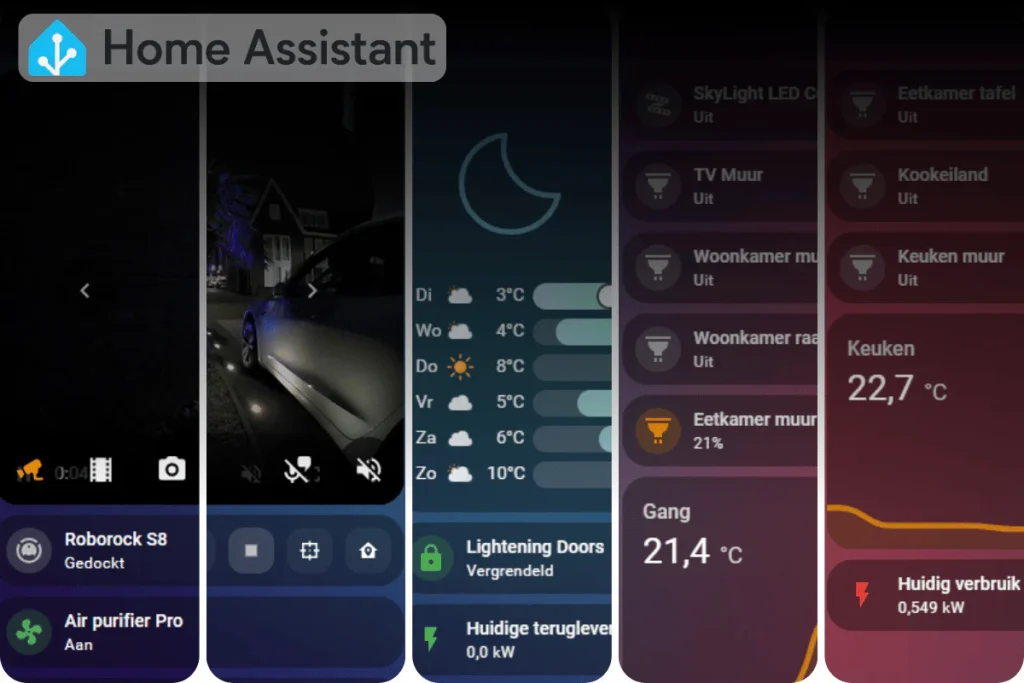
- Dashboards (Lovelace): The customizable user interface where you view device statuses and control your home via cards and grids.
- Automations: The logic engine consists of Triggers (what starts the event), Conditions (what must be true), and Actions (what happens next).
How to Get StartedSetting up Home Assistant is beginner-friendly but scales into a powerful hobbyist
- Choose Hardware: You need a dedicated device to run it 24/7. Popular choices include
- Flash the OS: Download the official software from the Home Assistant Installation Guide and flash it onto your storage drive.
- Discover Devices: Once booted, Home Assistant automatically scans your local network to discover and
- Customize and Automate: Build your dream dashboards and start writing local rules to make your home truly smart.
Useful ResourcesTo get the most out of your setup, tap into these essential community resources:
- Read technical updates and release notes on the official Home Assistant Blog .
- Troubleshoot and share complex YAML blueprints on the Home Assistant Community Forum .
Since its inception in 2013, Home Assistant has evolved from a simple Python script into the world’s largest open-source smart home automation platform.The project has always adhered to the principles of
local control and privacy first , and to date has over 600,000 active home installations. Below are its complete key milestones in its development history:
🚀 Early foundation laying (2013-2017)
- September 2013 : Dutch software engineer Paulus Schoutsen wrote a simple Python script to automate the control of his Philips Hue light bulbs and released it as an open-source project on GitHub.
- 2015-2016 : As the number of contributors increased, the project introduced a component architecture , enabling it to interface with hardware from different brands.
- 2017 : Launched Hass.io (now called Home Assistant Operating System / HAOS ). This is a dedicated operating system that greatly lowers the installation barrier for non-technical users on devices such as Raspberry Pi.
🏢 Business Ecosystem and Cloud Bridge (2018-2021)
- 2018 : The founders established Nabu Casa . The company funds the full-time development of open-source projects by providing a low-cost, monthly cloud service (Home Assistant Cloud), while ensuring that the platform does not rely on external venture capital.
- 2020 : Released the milestone 1.0 / 2020.12 version . The project officially transitioned to a new year-based version naming convention (e.g.
2020.12), and the UI fully entered the Lovelace dashboard era. - 2021 : Launched the official Energy Dashboard to help users track household electricity consumption, solar power generation, and gas consumption, aligning with the global trend of energy conservation and emission reduction. [1]
🎙️ Voice Revolution and Standardization (2022-2024)
- 2023 (Year of the Voice) : The Home Assistant team declared 2023 the “Year of the Voice.” They launched a fully localized, privacy-preserving voice assistant , challenging the dominance of Amazon Alexa and Google Home. [1]
- 2024 (Foundation Era) : To ensure the project’s permanent open-source nature and independence, Nabu Casa spearheaded the establishment of the Open Home Foundation , transferring ownership and core assets of Home Assistant to this non-profit organization. In the same year, native support for the next-generation smart home standards Matter and Thread was significantly enhanced .
📱 Modernization, Mobile-First, and Experience Innovation (Latest Updates for 2025-2026)
- 2025 (Data and Authentication Optimization) : The underlying database and statistical models were restructured, allowing users to efficiently store long-term historical data without configuring complex external databases. Simultaneously, a large-scale official hardware certification program was launched, comprehensively improving the plug-and-play stability of third-party devices such as Zigbee.
- Early 2026 (Mobile Refactoring) :
2026.1The mobile dashboard was refactored in version [version number missing]. A top-mounted “Summary Cards” and a “Devices View” specifically for handling sensors in unassigned areas were introduced, significantly optimizing the mobile user experience. - Mid-2026 (Major Version Milestone 2026.7) : In the latest Home Assistant 2026.7 core version , the official team introduced a redesigned natural language automation editor . Users no longer need to understand complex underlying logic or code pitfalls; they can quickly create automations directly using everyday human language logic (based on region and scenario). Furthermore, the update page also supports the “one-click upgrade all” function for the first time, significantly lowering the system’s maintenance threshold.

Downsides of Home Assistant
1. The “Breaking Change” Fatigue
Home Assistant moves at a breakneck pace, releasing major updates every single month. While this means fast features, it also means things frequently break. You must read the release notes carefully before upgrading, as older YAML configurations or custom community integrations often stop working without warning.
2. High SD Card Corruption Risk
If you run Home Assistant on a Raspberry Pi using a standard SD card, the platform’s aggressive data logging will quickly wear it out. Home Assistant constantly writes states, history, and logs to its database. Without moving to a high-end Endurance SD card or an external SSD, system crashes due to drive failure are a common rite of passage.
3. YAML “Configuration Purgatory”
Home Assistant is currently in a transitional phase. It is trying to move everything to the visual UI, but many advanced tweaks, complex templates, and custom dashboards still require writing YAML code. This split identity means you constantly jump between a slick visual interface and raw text files to get things done.
4. “Takes Over” Your Host Device
In 2017, Home Assistant Released The HAOS (Home Assistant OS), which needs you to let it take over a whole device, that means you can’t install anything else in your host device, which to many developers, is unacceptable!
Downsides of openHAB
1. The Bricks-and-Mortar Learning Curve
openHAB is not a “plug-and-play” system. Even with auto-discovery, you cannot just click a button and control a device. You must manually map the physical device (Thing) to a virtual variable (Item). If you do not understand this strict separation of data layers from day one, setting up even a basic light switch can feel incredibly frustrating.
2. Slower Integration Catch-Up
Because openHAB’s developer community is smaller and prioritizes strict Java architectural standards, it takes longer to get integrations for trendy new consumer hardware. If a flashy new smart gadget launches on Kickstarter, Home Assistant will likely support it within a week, while openHAB might take months—or require you to manually bridge it via MQTT.
3. UI Customization is Rigid
openHAB’s Semantic Model is brilliant for automatically generating clean, organized layouts. However, if you want to break away from that structure to build a highly stylized, artistic, or pixel-perfect tablet dashboard for your living room wall, openHAB’s interface tools can feel incredibly restrictive and difficult to customize compared to Home Assistant’s flexible “Lovelace” dashboard cards.